
November 12, 2011
Version 1.02 fixes a bug.
- Calling
setGrid after calling show on a
world didn't update the display.
June 20, 2007
Version 1.01 fixes two bugs.
- Deploying GridWorld as an applet threw a security exception
- Very frequent changes to the color of an actor can cause an out of memory
error
April 16, 2007
Version 1.00 is out! The last change,
also requested by Robert Glen Martin, is a secret system property
"info.gridworld.gui.frametitle" to change the text in the world frame
from the default "GridWorld" .
March 7, 2007
Version 0.99 has a few additional pre-
and postcondition tweaks.
February 8, 2007
Version 0.98 cleans up postconditions
in Critter and has a couple of minor tweaks in the display code that were
requested by Robert Glen Martin.
- If a grid occupants defines getTextColor and it is rendered as
text, then the given text color is used. (If the text color and the fill
color are the same, the inverse of the text color is used.)
- You can turn off tooltips by setting the system property
"info.gridworld.gui.tooltips" to "hide".
November 12, 2006
Version 0.97 adds postconditions in
Critter and has a couple of minor tweaks in the display code:
- The order of selecting actor displays has changed. A display class is now
given preference to a GIF image.
- A Grid<Color> is displayed as you would expect.
October 13, 2006
Version 0.96 makes two useful changes
requested by Dave Wittry:
- It is now possible to call setMessage on an ActorWorld
and have the message show up. Call setMessage(null) to restore the
default message.
- If a grid occupant has text and color properties but no
icon, and the color is black, the text is rendered in white.
July 26, 2006
Version 0.95 cleans up rounding errors
when scaling and rotating images. The preferred image size is now firmly set at
48 x 48 pixels. Images are scaled by a factor of 2, down to a minimum size of
12 x 12 pixels. (Menu icons are still at 16 x 16.)
Setting the secret system property info.gridworld.gui.selection to
"hide" turns off the selection square, as requested by Robert Glen
Martin for his Quzzle world.
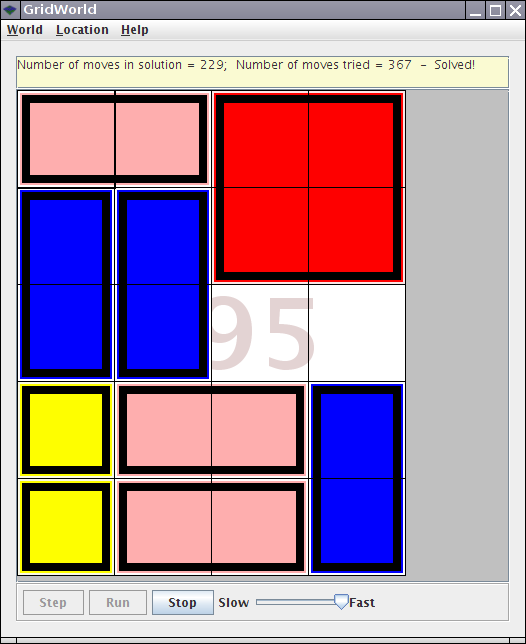
Speaking of secret system properties, set
info.gridworld.gui.watermark to "hide" if you want to take
screen shots without the version watermark (such as the 0.95) in the screen
shot above.
June 7, 2006
Version 0.94 lets you override the
keyPressed method in custom worlds, as suggested by Evelyn
Torres-Rangel.
April 25, 2006
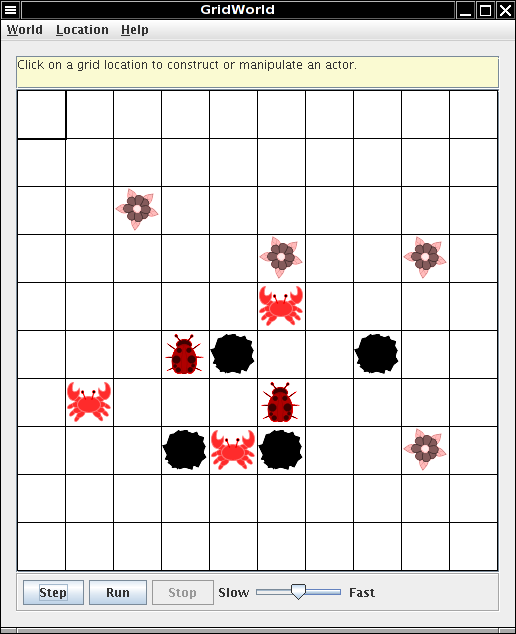
Version 0.92 contains the images
supplied by the School for the Talented and Gifted, Dallas Independent School
District.
April 6, 2006
Version 0.91 contains the changes from
the "Fresh Eyes" reviewer feedback.
- row, col, directionToward, numRows,
numCols are renamed to getRow, getCol,
getDirectionToward, getNumRows, getNumCols
- getNeighborLocation, getValidNeighborLocations,
getOccupiedNeighborLocations, getEmptyNeighborLocations,
findValidNeighborLocations are renamed to
getAdjacentLocation, getValidAdjacentLocations,
getOccupiedAdjacentLocations, getEmptyAdjacentLocations,
getLocationsInDirections
- getLocationsInDirections is moved from Critter to
CrabCritter
- The World.getRandomLocation method and GUI now check for invalid
locations in a grid, making odd-shaped grids possible (such as the
triangular unbounded grid below). Invalid locations are shown in gray. (No,
this is not for students in the exam but a bone to throw to the grid
enthusiasts.)

March 15, 2006
Happy First Birthday, GridWorld!
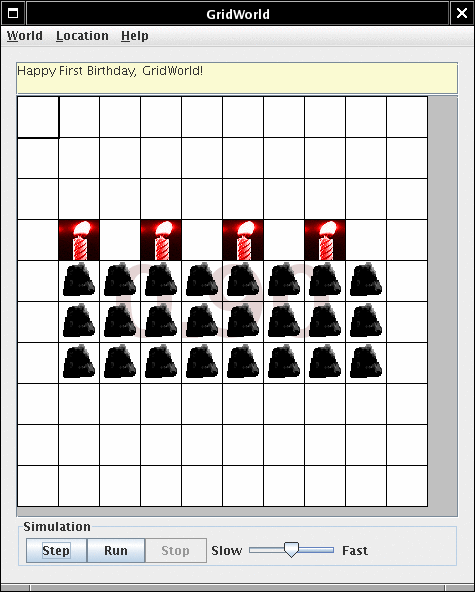
Version 0.90 contains the first
version for the "Fresh Eyes" review. No functional changes from 0.24; just
cleaner comments/formatting and a couple of minor bug fixes in the GUI.
March 6, 2006
Version 0.24 contains the changes of
the March 5 committee discussion.
- Chameleons turn to the direction in which they move
- Crabs randomly turn left or right when they can't move (I tried
half-left/half-right and it looked very odd.)
- There is now a CritterRunner
- When I ran the critter runner with multiple critters, they devoured each
other until only one was left standing. I changed the critter behavior so
that critters don't eat other critters (or rocks).
- CrabRunner uses bugs as crab prey. Bugs aren't critters so they are
food!
- The one-parameter add method is now in ActorWorld.
- UnboundedGrid no longer uses the addAll method.
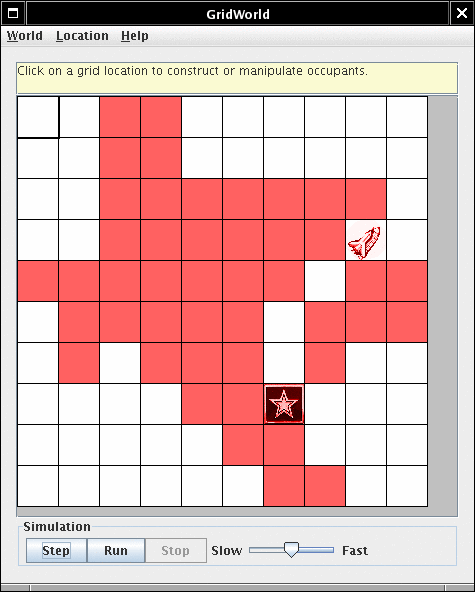
Here is SIGCSEWorld, preserved for
posterity.
February 23, 2006
Version 0.23 is a minor tweak of the
"simplified" version.
- I added a helper method getValidNeighborLocations to Critter to
simplify the CrabCritter code.
- I cleaned up the copyright notices.
January 30, 2006
Version 0.22 (unofficial) is an
existence proof of today's discussion
- All "A" level classes are concrete (i.e. Actor
and Critter)
- Actor has a nontrivial act method
- Critter has a nontrivial processNeighbors method
- Critter is in the framework
- CrabCritter eats deterministically
- ChameleonRunner and CrabRunner are visually less
busy
- (Minor point) By default, actors are now blue--Reg didn't like the black
default.
- (Minor point) Is there still a need for rocks to be always black? Or
blue? I took it out for now.
Again, this is just a proof of concept that will hopefully be an
inspiration, not an official release.
January 4, 2006
Version 0.21 has
these changes:
- New project code from Barbara and Chris
December 13, 2005
Version 0.20 has
these changes:
- The framework code is now in the info.gridworld package.
- The misleading comment for the ActorWorld() constructor has been
fixed.
- The messages for the exceptions are more student-friendly.
December 6, 2005
Version 0.19 has
these changes:
- ActorWorld doesn't add rocks to the constructor menu
- The AbstractCritter and SimpleCritter are now in the
rockHound sample directory.
December 2, 2005
In this version, all classes except the critter and GUI classes are
presumed stable.
Version 0.18 has
these changes:
- The Actor.turnBy method has been removed.
Use setDirection instead.
- Bug.move no longer has the canMove check. If a bug
moves to a location outside the grid, it is removed from the grid. (That
is, Bug.move may do undesirable things but it won't throw an
exception.)
- By default, critters cannot be added through the ActorWorld GUI. (They
can be added through the GUI if they are already present in the grid
or someone has called World.addOccupantClass.)
- SquareDancer is now BoxBug.
- I removed the GUI code to load other worlds. That reduces the number of
unavoidable "unchecked cast" warnings.
- I removed WorldApplet. Nobody showed an interest in it, and it
is easy enough for anyone to make their own applet, following these steps:
- Turn a runner class into an applet, like this:
import java.awt.Color;
import javax.swing.JApplet;
import javax.swing.JFrame;
import com.collegeboard.gridworld.actor.Actor;
import com.collegeboard.gridworld.actor.ActorWorld;
import com.collegeboard.gridworld.grid.Location;
import com.collegeboard.gridworld.gui.WorldFrame;

public class BoxBugApplet extends JApplet
{
   public void init() // insted of main
   {
      ActorWorld world = new ActorWorld();
      BoxBug alice = new BoxBug(6);
      alice.setColor(Color.ORANGE);
      BoxBug bob = new BoxBug(3);
      world.add(new Location(7, 8), alice);
      world.add(new Location(5, 5), bob);

      // call this instead of world.show();
      JFrame frame = new WorldFrame<Actor>(world);
      setContentPane(frame.getContentPane());
      setJMenuBar(frame.getJMenuBar());
    }
}
- Supply an applet tag, like this:
<applet
          code="BoxBugApplet.class" width="500" height="600"
          archive="gridworld.jar">
</applet>
(If the applet doesn't show up, you don't have Java 5 integrated with your
browser.)
November 21, 2005
Version 0.17 has
these changes:
- I removed the assert statements in Actor and replaced
them with exception throws instead. They did little good since few people
run their programs with assertions enabled.
- I fixed a bug that Ann reported. If a critter had nowhere to go, an
AIOOBE was thrown.
- Exceptions inside reflective method invocations (i.e. those called by
selecting a method by clicking on an actor) are now displayed in the
GUI.
- The exception dialog has a copy button that copies the stack trace to the
clipboard. If you unexpectedly get one of these, click Copy, then paste it
into an email message to me.
- The Critter.act method now calls Critter.makeMove so
that a move can also involve turning, throwing rocks, etc.
- ActorWorld.step only calls Actor.act when the actor is
still in the grid (and hasn't been removed by a previous actor in the same
step).
- Actor.setDirection has been added.
November 19, 2005
Version 0.16 has
these changes:
- Actor is now Bug (with a crummy generic image--we'll get a better one for
the final release)
- Actor.moveTo now checks its preconditions better (thanks to Reg)
- Long method return values show up in a scrolling text area
November 9, 2005
Version 0.15 has
these changes:
- I cleaned up the javadoc comments to reflect the recent refactoring.
- The GUI can now display grids that contain integer objects, so that Ann
can work on her free response problem.
 public static void main(String[] args)
 {
    Grid<Integer> grid = new BoundedGrid<Integer>(10, 10);
    for (int i = 0; i < 10; i++)
       for (int j = 0; j < 10; j++)
          grid.put(new Location(i, j), i + 10 * j);
    World<Integer> world = new World<Integer>(grid);
    world.show();
 }
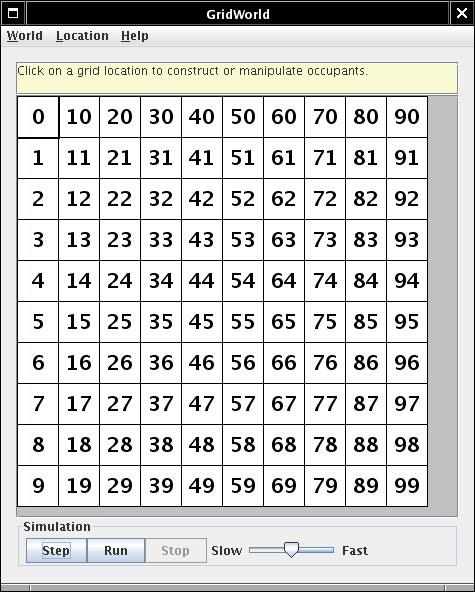
Just for fun, delete a cell (Hit the Delete key or pick Location ->
Delete from the menu) and then right-click on the empty location.
November 5, 2005
Version 0.14 has
these changes:
- As Chris suggested, it was a very bad idea to put the template method in
Actor and to override it in subclasses. The code has been
reorganized.
- What used to be a Critter is now an Alien. As we all
know, aliens drop wilting flowers as they move about. You can subclass
Alien for particular patterns such as crop circles (or, for
simplicity, squares). (Note: The current Alien image is
not the final image!)
- The template method is now in Critter. A critter no longer drops
flowers. It just roams about aimlessly, crying out to be
subclassed. You subclass Critter to get more interesting
roaming behavior (such as the rock hound etc.)
- The template method has been gussied up a bit, to give us more
flexibility. That's as flexible as we'll ever want it.
- The implementation of the Actor class is no longer of interest
to students. It just contains plumbing (putSelfInGrid etc.) Very
nice!
- The Alien class is now simpler since it no longer tries to be an
example for the template method pattern. Just act, move,
and turn. Very nice!
November 4, 2005
Version 0.13 has
these changes:
November 1, 2005
Version 0.12 has
these changes:
- I added the sample projects that Barbara and Chris provided. (I made a
minor change and used standard Java classes for the stack and queue.)
- Since Barbara and Chris didn't seem to like the feature that loads
projects dynamically, I temporarily deactivated it. If nobody misses it, it
will be gone for good (even though it contains some really cool code
:-))
October 23, 2005
Version 0.11 has these minor
changes:
- Actor is now an abstract class
- The Location class has a method directionToward that
gets the compass direction for moving towards another location.
October 8, 2005
Version 0.10 only has a couple of
minor changes, as requested by Chris:
- In Actor, change putInGrid to putSelfInGrid
and change removeFromGrid to removeSelfFromGrid
- The constructor menu now shows any occupants that have ever been observed
in the environment
September 28, 2005
Some cleanup, as prompted by Chris' questions
- The Grid methods throw a NPE if a location parameter is
null and an IAE if it is invalid. No more guesswork.
- The compass directions and getNeighborLocation method are now in
Location, and getValidNeighborLocations is now in
Actor. The Grid is a 2D array, pure and
simple.
- AbstractGrid is gone, and while I was at it, I eliminated
AbstractWorld as well. We're down to 10 visible classes and
interfaces! (The MBS had 17)
September 27, 2005
Only three minor changes
- This build has the com.collegeboard.gridworld.world package, as
previously threatened.
- If you change the grid, the occupants are moved from the old to the new
grid (provided the locations are valid in the new grid)
- There is now a menu option Edit->Delete (with the Delete key as
shortcut)
August 24, 2005
This build has just a few cosmetic changes to improve the out-of-box
experience.
- The zip file is reorganized. There
are no longer zips inside zips.
- I improved the usage instructions in the manual.
- The package structure is simplified. Students only need to care
about com.collegeboard.gridworld.grid
and com.collegeboard.gridworld.actor. Everything else is
in com.collegeboard.gridworld.gui. (It may be necessary to
add another package com.collegeboard.gridworld.world. There
are a few methods of the World interface that students need to
know when they build their own worlds.)
- I added simple "launcher" classes to the samples, making the launch
process less mystifying.
- I fixed the problem that Windows users had with loading other worlds.
(Thanks Ann!)
- I fixed a bug in the definition of the Grid compass directions.
(Thanks Laurie!)
April 15, 2005
Here is the latest GridWorld build.
This time, the distribution is quite different. Unzip the file, and you get
- a file gridworld.jar that is both an executable program and a
library for compiling extensions
- a file projects.zip that contains sample projects. Unzip
anywhere you like
- a file src.zip containing all source code
Now open a command shell and type
java -jar gridworld.jar
The GUI comes up with a starter world. To load a different world, select
World -> Load Project
and navigate to one of the project directories. (You select
the directory and accept the file dialog; no need to enter it. It's just like
in BlueJ.) The GUI now loads main all classes in the project
directory. This setup greatly simplifies the students' life. They no longer
need to write a method. They merely subclass Actor and, optionally,
SimWorld , compile the classes, and launch the GUI. If the project
files are recompiled, there is no need to close the GUI. Simply reload the
project, and the newest versions of the classes are loaded. The GUI can also be
run as an applet. However, then it can only show a single world. To make an
applet, zip up the project and make an applet tag like this:
<applet code="com.collegeboard.gridworld.gui.WorldApplet"
    width="500" height="600"

    archive="squaredancer.zip,gridworld.jar">
</applet>
Have a look at the Stepper project. This example extends
StepWorld , not SimWorld . In the run method, the
student writes code such as the following for loop practice.
      int n = 5;
      for (int i = 1; i <= n; i++)
      {
          for (int j = 1; j <= 2 * i - 1; j++)
          {
             add(new Location(i, n - i + j), new Rock());
             pause();
          }
      }
Whenever the pause method is called, the StepWorld pauses
until the user clicks the Step button.
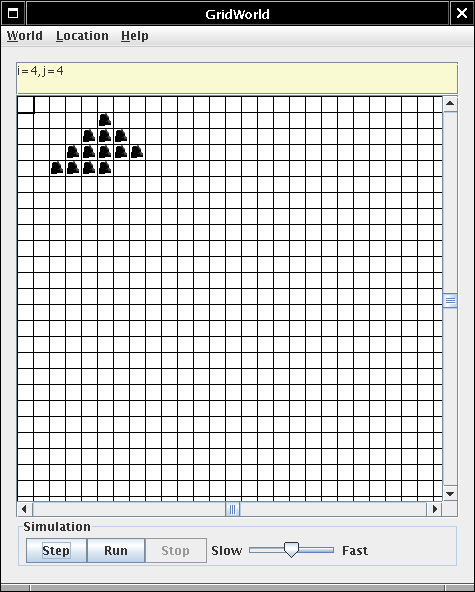
The GUI gives students a visual way for debugging loop problems. This has
nothing to do with the case study, but if teachers can put the framework to
good educational use, it should make it more attractive.
| a |
l |
l |
t |
h |
| e |
n |
e |
w |
s |
| t |
h |
a |
t |
s |
| g |
r |
i |
d |
w |
| e |
p |
r |
i |
n |
April 7, 2005
Here is the latest GridWorld
build--again distributed as source-only. This version requires Java 5.
Unzip and compile with javac *.java . Make sure that you do not
have a CLASSPATH that contains a previous version, or the current case
study.
Changes:
- I took up the challenge of making the GUI independent of the
Actor class. The GUI can now manipulate a Grid<T>
for any type T. To drive home the point, I now have two packages
com.collegeboard.grid and com.collegeboard.sim. The
latter contains Actor and its subclasses Critter,
Rock, and Flower, as well as the SimWorld which
contains the act loop.
- Several people said that they preferred if every actor knows its
location, and I put that in as an experiment. It definitely simplifies life
for beginners--see the critter example. I realize that it is possible to
mess up the actor if one calls grid.put(loc, actor) instead of
actor.putInGrid(grid, loc). However, rank beginners won't even see
the grid--they just insert the actors into the world.
- I took out plan--it turns out to be unnecessary; see the revised
LifeDemo demo if you care about the details.
- There is now a keyboard navigation interface. Not only is it more
"accessible" for people with certain handicaps, it also makes navigating in
an unbounded grid less confusing. Simply move the highlighted square with
the arrow keys. Hit Enter to edit the cell. No mouse-clicking is
required.
- I added a message panel to the top of the display. This could be useful
if the GUI is used for other purposes, e.g. a game. Then there could be
messages such as "Player A clicks" or "Illegal move".

Things to Try
Questions
- What do you think about the fact that all actors know their location?
Should I rename getGrid(), getLocation() to
grid(), location() for old time's sake?
- I always wondered why we have the "getNeighbors" methods in the
Grid class. Do you want them there? That would make the grid
potentially more useful for asking questions (such as in the "connect 4"
game) when we want a grid but not actors. But it also means that students
write a lot of code like
getGrid().getAllNeighborLocations(getLocation()).
- I find that I write a fair amount of repetitive code such as "get all
empty neigbor locations, get all occupied neighbor locations, get all
neighbors". I could put convenience methods into Actor. Or is it
the intent that students learn how to write this kind of code?
- Does anyone want the "Run" menu with the "Run indefinitely, Run n times,
Prompt me" options in the GUI? I'd love to kill it in the interest of
simplicity.
March 31, 2005
Here is the latest GridWorld
build--again distributed as source-only. This version requires Java 5. Don't
look to close into the internals. It is still quite messy.
Unzip and compile with javac *.java .
This week's big news is a significant change in the user interface. I had
tried to integrate GridWorld into BlueJ. I wanted to call a method on the
critter and have the critter move, but it didn't really work. So I decided to
steal an idea from BlueJ. When the user clicks on an actor in the grid, all
methods pop up, and you can call any of them.
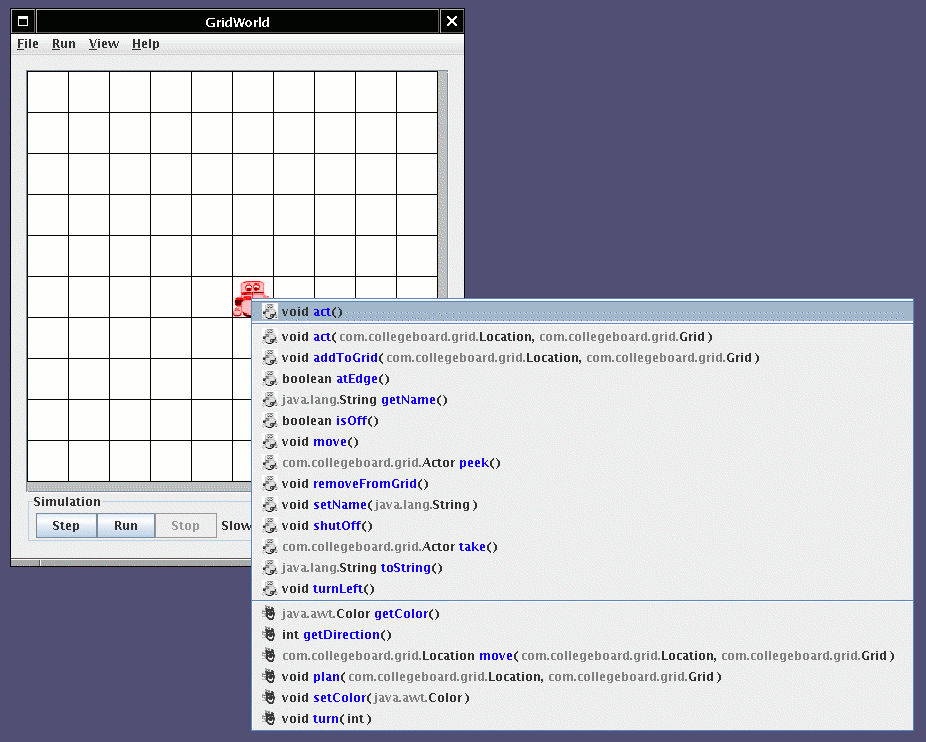
If the method has parameters, you get to specify them.
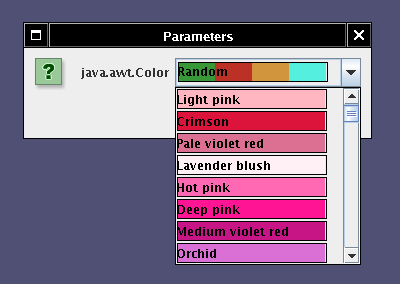
The change is immediately reflected in the display.
Très cool, if I may say so. If you click on an empty cell, you get a
list of constructors.
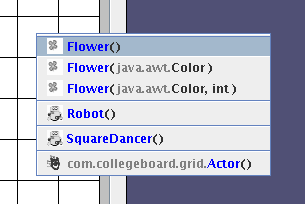
The "actor panel" to the right of the grid is no longer needed.
If you all agree that this is an improvement, I can ditch quite a bit of old
code that contained ugly special cases.
Your opinions needed
- Have a look at the Grid<E> interface, the
BoundedGrid<E> class, and the use of
Grid<Actor> in the Robot and
SquareDancerDemo classes. Are you ok with that, or is it too
hardcore for the A course? The alternative is to hardwire the
Actor type into the Grid. That is, a Grid would
not be parameterized. It would always contain Actor objects. That
isn't as crazy as it sounds--see below.
- Run the SquareDancerDemo and pop up the menu over the robot. See
how nice it is that you can call turnLeft and move, and
instantly see what happens.
- This works because a Robot stores its location and grid, just
like the Fish did. Its methods make a valiant effort to keep the
information synchronized. (Note the addToGrid call in
SquareDancerDemo.) This is almost foolproof since
currentGrid and currentLocation are private fields, and
they are not reported through accessors. It could be even more foolproof if
the Grid collaborated. If a Grid knows it contains
Actor objects, its put and remove methods can
synch up with the actors--that is what Alyce Brady does in her new grid
framework.
- Should all Actor objects store their location and grid? If not,
there is a curious asymmetry where a Robot should call
myRobot.addToGrid(loc, grid), but a rock is added with
grid.put(loc, new Rock()).
- On the other hand, if we take generics seriously, shouldn't the
addToGrid method really have signature void addToGrid(Location
loc, Grid<? extends Actor>)?
- Have a look at the color dialog. (Call setColor on an actor.) Do
you like the names of all the web colors? Or should I just stick with the
Java defaults for a dialog that is simpler and easier to
internationalize?
- Finally, I tried to make a flock simulation, similar to this classic, but it doesn't
look all that cool. Maybe someone else wants to tinker with it?
March 25, 2005
Here is the latest GridWorld
build--this time distributed as source-only.
Unzip and compile with javac *.java .
Changes:
- I used packages to organize the code.
- I added several examples.
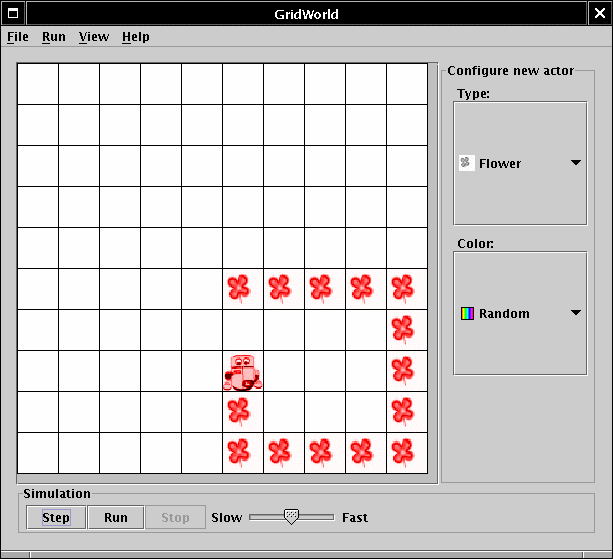
- As you know, robots drop flowers every time they move. The
SquareDancer is a Robot that traces out a square.
This gives an idea how one might use this framework for teaching basic
programming concepts. Run java SquareDancerDemo. (NOTE: It may not
be a good idea to use robots because it creates confusion with Karel.
Clearly, a square dancing critter would work just as well. I just did this
to give some idea of the possibilities.)
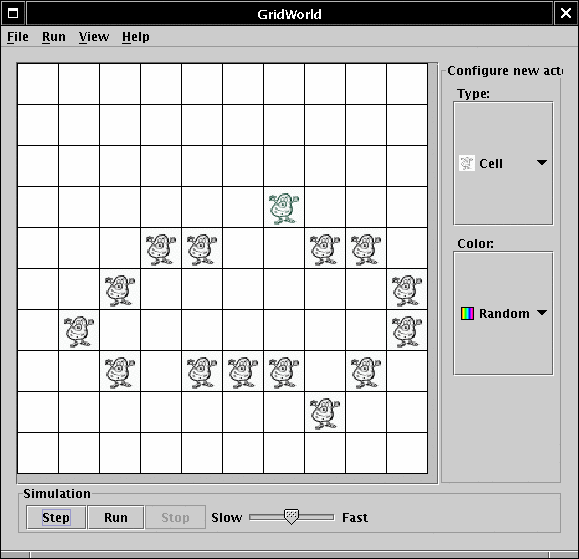
- The LifeDemo runs a game of life. A bit inefficient, but it
works.
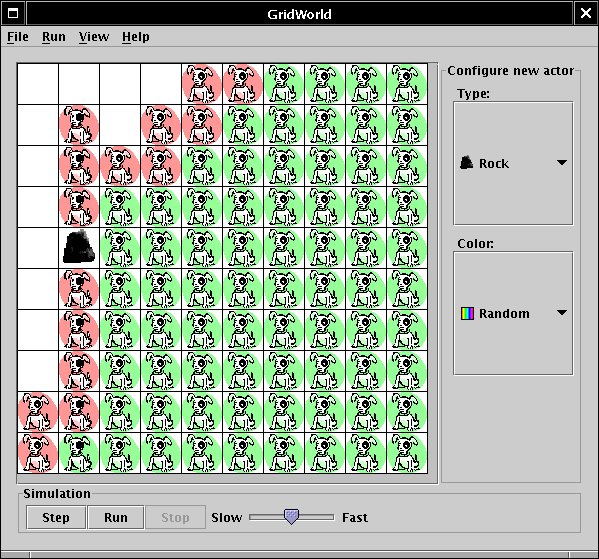
- And my favorite...the rock hound. Rock hounds want to know where rocks
are, but they are too lazy to move. Instead, they only look at their
neighbors. If they don't see a rock there, they put new rock hounds into
the neighboring locations. Once they did that, they keep asking their
neighbors "Do you know where a rock is?" (No, I don't seriously think we
should include it--it is my revenge for seeing my recursion problem gutted
:-))
- I fixed all reported bugs. Thanks to Judy and Scott for your reports!
- I made the simulation loop visible in GridWorld. (Someone could
subclass this to, say, GameWorld and play TicTacToe or Memory
instead of running a simulation.)
- I did a lot of internal cleanup. It's down to 12 GUI classes. Sayonara
SimFactory...
- Load/save should now work thanks to the magic of JavaBeans
Persistence.
- I prepared for string localization, so that one can simply translate the
UI strings. I bet you can't wait for the Kritter and Felsen in the
RasterWelt!
- I added a bunch of links to the FAQ. If nothing else, you've got to check
out the Java Hamster!
Questions:
- Is it ok to use packages? I hope it reduces Jar file confusion. Why
weren't packages used in the MBS? (Note: None of the code that students
supply or edit is in a package--only the library code.)
- I'd like to move this to Java 5.0. (I am tired of casts.) Would that be a
problem for any of you?
- If you look into the Robot, you will see that it stores its grid
and location, just like the fish did. That way, peek,
turnLeft and move don't need unsightly parameters. Should
all actors do that? (That's what Alyce is doing in her grid framework.)
- What is supposed to happen with the Grid in the AB course? Presumably we
want to invite instructors to study alternate implementations. If so,
will the grid be generic? That is, will it be a
Grid<E>? Or should it store Object? Or
Actor only?
- In the MBS GUI, the toolbar to the right was hidden when a simulation
ran. I liked adding actors at any time, and changed the code so that the
toolbar is always visible. Any preferences?
Disclaimer:
- This is still a proof of concept. As several people remarked, you don't
find out the real problems until you've done a bunch of applications and
extensions.
- I am only hacking away for fun. If this is adopted, I expect the college
board to hire someone to do the boring grunt work.
FAQ
Q: What is it?
A: This framework was obtained from the Marine Biology Simulation framework
by ruthlessly removing gratuitous complexity. I kept the parts that have proven
to be most useful for asking exam questions:
- The environment (now called Grid; see below for the reason
behind the name change.)
- A class that can be subclassed to create different behaviors. It's now
Actor, not Fish.
The grid is simpler than the old environment for two reasons:
- It acts like a map: you place any object into a given
Location
- It no longer has a state that indicates the number of neighbors. You call
either getMainNeighborLocations or
getAllNeighborLocations to get the N W S E or all eight neighbors.
That should simplify question writing.
I also kept the excellent GUI (there is quite a bit of wizardry under the
hood). I made it easy to add image files--you just supply a file with the same
name as the class (e.g. Rock.gif ).

Now we have the following classes and interfaces
For A:
- Actor
- Critter
- Flower
- Rock
- Location
- BoundedGrid
- ActorWorld
For AB:
- interface Grid
- UnboundedGrid
For further extension:
- World
- extension such as GameWorld or StepWorld
Q: Why is the environment class now called Grid?
A: Grid is a four-letter word.
Q: Why another grid?
A: It's the year of the grid. Everyone and their brother has a grid
framework:
Q: What do I need to do to make my own actor?
A: (1) Overload the act method (unless it's a rock or wall that
doesn't act). (2) Maybe supply a GIF image
Q: Could I do Carol-the-Robot with this framework?
A: Yes but... It is easy to make classes Carol, Wall, and
Beeper. But then what does Carol do? All steps in the act
method are instantly executed. You could program the act method so
that it does things in steps (like the SquareDancer). Alternatively,
you can place a Robot in a StepWorld and have it call
pause in its move and turn methods. However, with
multiple robots, there would be nasty concurrency issues.
Q: Could I make hexagonal or triangular grids?
A: No.
Q: Why isn't there a Direction class any more?
A: It was ruthlessly eliminated, in order to minimize the number of classes.
Directions are now integer values, measured in degrees. Useful constants (
Location.NORTH , Location.RIGHT , etc.) can be found in the
Location class.
Q: Can you have multiple actors in a grid location?
A: I suppose one could make a Grid<Set<Actor>> , but
then the simulation loop would need to be rewritten, and someone would need to
write a SetDisplay.